
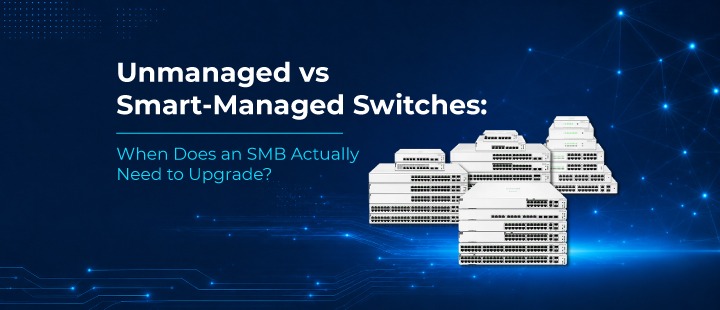
Unmanaged vs Smart-Managed Switches: When Does an SMB Should Upgrade?
If you run IT for a small or growing business, chances are your network started simple: a router, a basic switch, a handful of cables running to desks and printers. It worked. It still works. So why do vendors keep pushing you toward “smart-managed” switches?
The honest answer: not every business needs one. But there’s a point where sticking with unmanaged switches starts costing you more than the money you saved by not upgrading. This post breaks down the real differences and gives you a practical way to decide where your business stands.
What an Unmanaged Switch Actually Does
An unmanaged switch is plug-and-play. You connect devices, power it on, and traffic flows: no configuration, no login, no dashboard. It simply forwards data between connected devices using MAC addresses.
This makes unmanaged switches:
- Inexpensive — often the cheapest way to add ports to a network
- Zero-maintenance — no firmware, no settings, nothing to break
- Fanless and compact — ideal for small offices or single-room setups
They’re a great fit for very small environments: a 5-person office, a single retail counter, a home lab, or as a simple port expander behind a more capable switch elsewhere in the network.
What a Smart-Managed Switch Adds
A smart-managed switch (like the HPE Instant On 1830 or 1930 series) still does the basic job of moving traffic, but adds a layer of visibility and control:
- VLANs — segment traffic (e.g., separate guest Wi-Fi from your POS or accounting systems)
- QoS (Quality of Service) — prioritize voice/video traffic so a large file transfer doesn’t tank a client call
- PoE management — see which devices are drawing power, and reboot a hung camera or access point remotely
- Basic security controls — MAC-based authentication, port security, access control lists
- Monitoring — a dashboard (cloud, mobile app, or local web UI) showing port status, traffic, and connected devices
- Link aggregation — combine multiple ports for redundancy or extra bandwidth
In short: an unmanaged switch just connects devices; a smart-managed switch lets you understand and control what’s happening on your network.
Five Signs You’ve Outgrown Unmanaged Switching
- You’ve added devices that shouldn’t share the same network segment. Guest Wi-Fi, IP cameras, POS terminals, and staff laptops all on one flat network is a security risk. If a guest device gets compromised, nothing stops it from reaching your billing system. VLANs solve this and unmanaged switches can’t do VLANs at all.
- Video calls or VoIP are getting choppy. Without QoS, a switch treats a large backup upload the same as a live video call. As your bandwidth demands grow, that “first come, first served” approach starts showing up as dropped calls and laggy meetings.
- You’re troubleshooting blind. When something goes wrong on an unmanaged switch, your only diagnostic tool is unplugging cables one at a time. A smart-managed switch shows you exactly which port is down, which device is flooding traffic, or which PoE device just stopped drawing power, often before an employee even notices.
- You’re deploying PoE devices at scale. One or two PoE-powered access points is manageable with anything. But once you’re running 10+ cameras, phones, and access points off PoE, the ability to see power draw per port and remotely power-cycle a frozen device becomes a real time-saver, not a luxury.
- Compliance or client requirements are creeping in. If you’re pursuing ISO 27001, working with clients who require basic network segmentation, or simply want an audit trail of who connected what and when, unmanaged switches offer nothing to point to. Smart-managed switches give you the logs and controls to demonstrate control over your environment.
If none of these apply to you yet, an unmanaged switch is still a perfectly rational choice; don’t let anyone sell you complexity you don’t need.
A Simple Way to Decide
Ask yourself three questions:
- Do I have more than one type of traffic that needs to be separated (guest Wi-Fi, security cameras, business-critical systems)?
- Would I notice, and would it matter, if I couldn’t see what’s happening on my network during an outage or slowdown?
- Am I running, or planning to run, 10 or more PoE devices (cameras, phones, access points)?
Two “yes” answers are usually the tipping point where a smart-managed switch pays for itself in reduced downtime and fewer support headaches.
Final Thought
Unmanaged switches aren’t a mistake; they’re the right tool for a specific stage of growth. But businesses rarely stay small forever, and networks that scale without visibility or segmentation tend to become the source of avoidable outages and security gaps.
If you’re unsure which side of that line your business is on, Network Techlab can walk through your current setup and map out whether a smart-managed upgrade like HPE Instant On actually makes sense for where you are today, not just where a vendor wants you to be.