
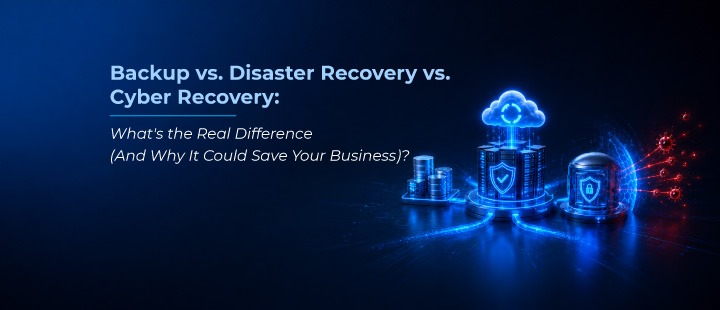
Backup vs. Disaster Recovery vs. Cyber Recovery: What’s the Real Difference
For years, organizations believed that having a reliable backup strategy was enough to protect their business from data loss. However, the cybersecurity landscape has changed dramatically.
Picture this: it’s 2 a.m., and your monitoring system lights up. Files are encrypting themselves across your file servers. By the time your IT team gets the alert, half your production environment is locked, and a ransom note is sitting on the desktop of your finance director’s laptop.
Your first thought is probably, “We have backups, we’ll be fine.” But will you?
This is the question that trips up more organizations than it should, not because they didn’t invest in protection, but because they assumed backup, disaster recovery, and cyber recovery were interchangeable.
They’re not!
Industry data paints a sobering picture of just how expensive that assumption can be: the average downtime following a ransomware attack now stretches to roughly 24 days, and a growing share of attacks specifically target backup infrastructure first, precisely to remove the safety net organizations are counting on.
Let’s break down what each term actually means, where they overlap, where they don’t, and how a layered strategy that Network Techlab designs to help enterprises actually holds up when things go wrong.
What Is Backup, Really?
At its simplest, backup is the practice of making copies of your data and storing them somewhere separate from the original, so that if something happens to the original- a deleted file, a corrupted database, a hardware failure. You can restore it.
Think of backup as your safety net for the everyday stuff: an employee accidentally deletes a critical spreadsheet, a server disk fails, or a software update corrupts a database. Backup gets you back to a known good state quickly, usually within minutes or hours, depending on how the backup is configured.
What backup is good at:
- Restoring individual files, folders, or databases
- Recovering from accidental deletions or corruption
- Meeting basic compliance requirements around data retention
What backup is not designed for:
- Restoring an entire IT environment after a large-scale outage
- Verifying that what you’re restoring isn’t itself infected
- Getting an entire business back online in a coordinated way
Backup answers the question: “Can I get this piece of data back?” It doesn’t answer: “Can my business keep operating?”
What Is Disaster Recovery?
Disaster recovery (DR) takes a step back and looks at the bigger picture. Where backup is about data, DR is about continuity. Making sure your systems, applications, and infrastructure can be brought back online after a major disruption, whether that’s a flood, a fire, a power grid failure, or a data center outage.
DR strategies are usually built around two numbers that matter more than almost anything else in this conversation:
- RTO (Recovery Time Objective): How long can your business survive without this system before the damage becomes serious?
- RPO (Recovery Point Objective): How much data can you afford to lose, measured in time: the last hour, the last day, the last week?
A solid DR plan maps out exactly which systems get restored first, how failover to a secondary site or cloud environment works, and who’s responsible for what when the lights go out. It’s less about “can I recover a file” and more about “can I recover my business operations, in what order, and how fast.”
Where DR typically falls short today: most disaster recovery plans were built with natural disasters and infrastructure failures in mind, not cyberattacks. And that gap has become dangerously visible in the last few years, because a ransomware attack behaves nothing like a flood.
What Is Cyber Recovery — And Why Is It a Different Category Altogether?
Here’s the uncomfortable truth that a lot of DR plans miss: when a natural disaster takes down your data center, your backups are still trustworthy. When a cyberattack takes down your environment, your backups might be the thing that’s infected.
This is exactly why cyber recovery has emerged as its own discipline, distinct from traditional DR. Cyber recovery assumes that the threat isn’t external and physical. It’s already inside your environment, potentially inside your backup copies, and possibly inside your identity systems (like Active Directory) that control who has access to what.
A few things that separate cyber recovery from classic DR:
- Clean room recovery. Instead of restoring straight back into your production environment (where the malware might still be lurking), modern cyber recovery isolates a copy of your data in a secure, air-gapped environment, scans it for threats, and only then allows a clean restore. This is the exact principle behind capabilities like Cleanroom Recovery in the Commvault Cloud platform. It spins up an isolated, uncontaminated environment, runs forensic threat-scanning (including integration with tools like Microsoft Defender), and only lets a recovery proceed once the data has been validated as clean.
- Identity-first thinking. A growing share of modern attacks don’t just encrypt files; they exploit stolen credentials, tokens, and misconfigured permissions to move quietly through an environment before anyone notices. Recovering your files means nothing if the attacker still has a working set of stolen credentials waiting on the other side. This is why solutions in this space now offer granular, domain-wide Active Directory comparison and recovery. Letting teams see exactly what changed in their identity infrastructure between a clean backup and the current state, rather than blindly restoring and hoping.
- Assume compromise, verify everything. Traditional DR assumes your last known good backup is trustworthy. Cyber recovery assumes it might not be and builds in the forensic steps to confirm that before anything goes back into production. Immutable, air-gapped storage where backup copies sit in an isolated security domain that even administrators can’t casually alter or delete has become the baseline expectation for this, rather than a premium add-on.
- Speed matters differently. In a natural disaster, recovery time is often driven by physical constraints. How fast you can get a data center back online. In a cyberattack, every hour of downtime is often accompanied by active extortion pressure, regulatory clocks ticking, and reputational damage compounding in real time. This is part of why the industry has started talking about “ResOps,” treating recovery operations with the same rigor, tooling, and speed expectations usually reserved for security operations.
The Attacks Have Changed — So the Old Playbook Doesn’t Work Anymore
It’s worth pausing on why this distinction matters more in 2026 than it did five years ago. Ransomware has evolved from opportunistic encryption attacks into something closer to organized crime-as-a-service, where attackers combine data theft with extortion tactics to pressure victims into paying, regardless of whether they can restore their own data.
That shift means the old assumption, “if we get encrypted, we’ll just restore from backup”, is no longer a safe bet on its own. Attackers now specifically target backup systems and identity infrastructure before triggering the visible part of the attack, precisely because they know backups are the thing standing between a victim and a ransom payment.
This is also why platforms built specifically for cyber resilience, rather than backup software with security features bolted on, have become the benchmark. It’s worth noting that this is a big part of why Commvault has been recognized as a Leader in the Gartner Magic Quadrant for Backup and Data Protection Platforms for 15 consecutive years running: the distinction between “backing up data” and “recovering clean, verified data with confidence” is exactly what analysts are now scoring platforms on.
So Which One Do You Actually Need?
Here’s the honest answer: all three, layered together, because they solve different problems.
| Backup | Disaster Recovery | Cyber Recovery | |
| Protects against | Accidental loss, corruption, deletion | Physical/infrastructure disruption | Ransomware, cyberattacks, identity compromise |
| Core question | Can I get this data back? | Can I bring systems back online? | Can I recover clean, verified data? |
| Assumes | Original environment is trustworthy | Environment is intact, just unavailable | Environment may be compromised |
| Key metric | RPO for data loss | RTO/RPO for business continuity | Time-to-clean-recovery + validation |
A mature data protection strategy doesn’t pick one of these. It builds backup as the foundation, layers disaster recovery on top for business continuity planning, and wraps cyber recovery around both with isolated, immutable copies of data and identity systems that can be verified as clean before anything touches production again. This is essentially the architecture Commvault Cloud is built around: Air Gap Protect for immutable, isolated data copies, and Cleanroom Recovery for the testing, forensics, and clean failover layer on top of it, designed so that when (not if) an attack happens, recovery is a rehearsed process rather than a scramble.
The Bottom Line
If there’s one thing worth remembering from all this, it’s that “we have backups” was never really the safety statement it sounds like. And today, it’s an even riskier assumption to lean on. Backup answers a narrow question well. Disaster recovery widens that lens to business continuity. Cyber recovery adds the one ingredient neither of the other two was originally built for: the assumption that the threat is already inside, and that trust has to be earned back, not assumed.
The organizations that come out the other side of an attack quickly aren’t the ones with the biggest backup storage. They’re the ones who built recovery- clean, verified, identity-aware recovery into their resilience strategy from day one.
At Network Techlab, we work with enterprises across India to assess exactly where their current backup, DR, and cyber recovery strategy has gaps and where a platform approach like Commvault Cloud can close them.